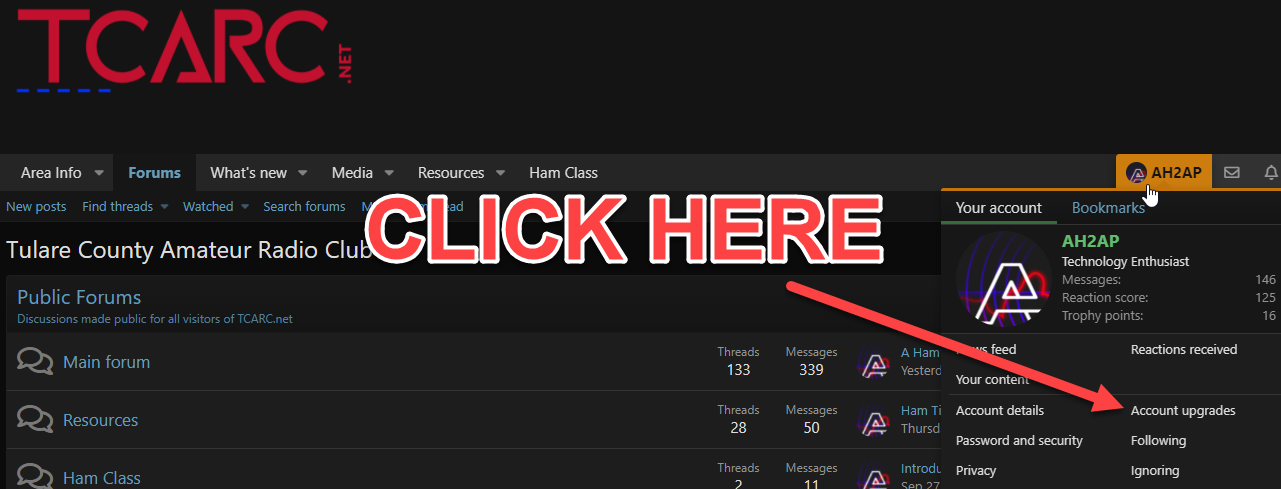
It is now possible to pay your yearly dues online via this website. Simply navigate to the account upgrades section by clicking your user name on the main navigation bar, then click on "Account Upgrades" See the picture below:
You will then be presented with available account upgrades. Choose the upgrade that refers to paying membership dues. See the image below:
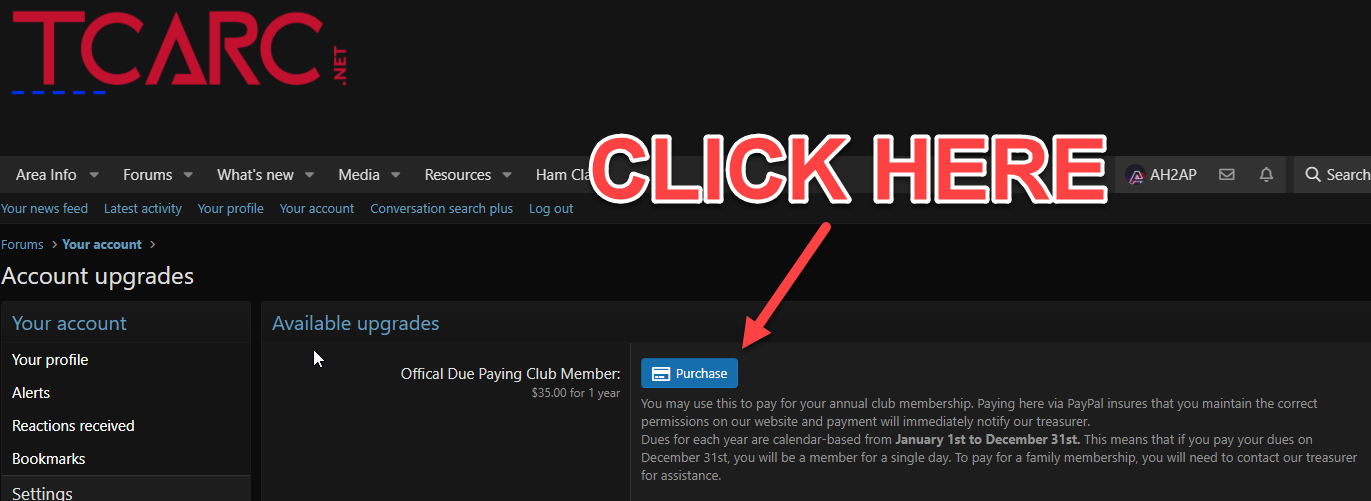
When you click on Purchase, the website will direct you to PayPal to facilitate your payment, then return you back to our website when the transaction is complete.
Please note that this is only for individual dues. Family memberships must still go directly through the elected directors.
You will then be presented with available account upgrades. Choose the upgrade that refers to paying membership dues. See the image below:
When you click on Purchase, the website will direct you to PayPal to facilitate your payment, then return you back to our website when the transaction is complete.
Please note that this is only for individual dues. Family memberships must still go directly through the elected directors.